 Kyndle
 Why Isn’t Your Business Showing Up on Google Maps? (And How to Fix It)
Business not showing up on Google Maps? Here are the most common reasons it happens and the exact steps to fix it and get found again.
Your business is probably missing from Google Maps for one of a few fixable reasons: an unverified or unclaimed profile, a suspended listing, inconsistent business information, the wrong category, too few reviews, or you are outside the searcher’s area. The good news is that most of these have a clear fix, and many take only a few minutes to start.
You search for your own business on Google Maps and it is nowhere to be found. It is unsettling, especially when customers tell you they could not find you either. Take a breath, because this is almost always fixable. Let us walk through the most common reasons a business disappears from Google Maps, how to fix each one, and a 2026 twist most owners never check.
Why isn’t my business showing up on Google Maps?
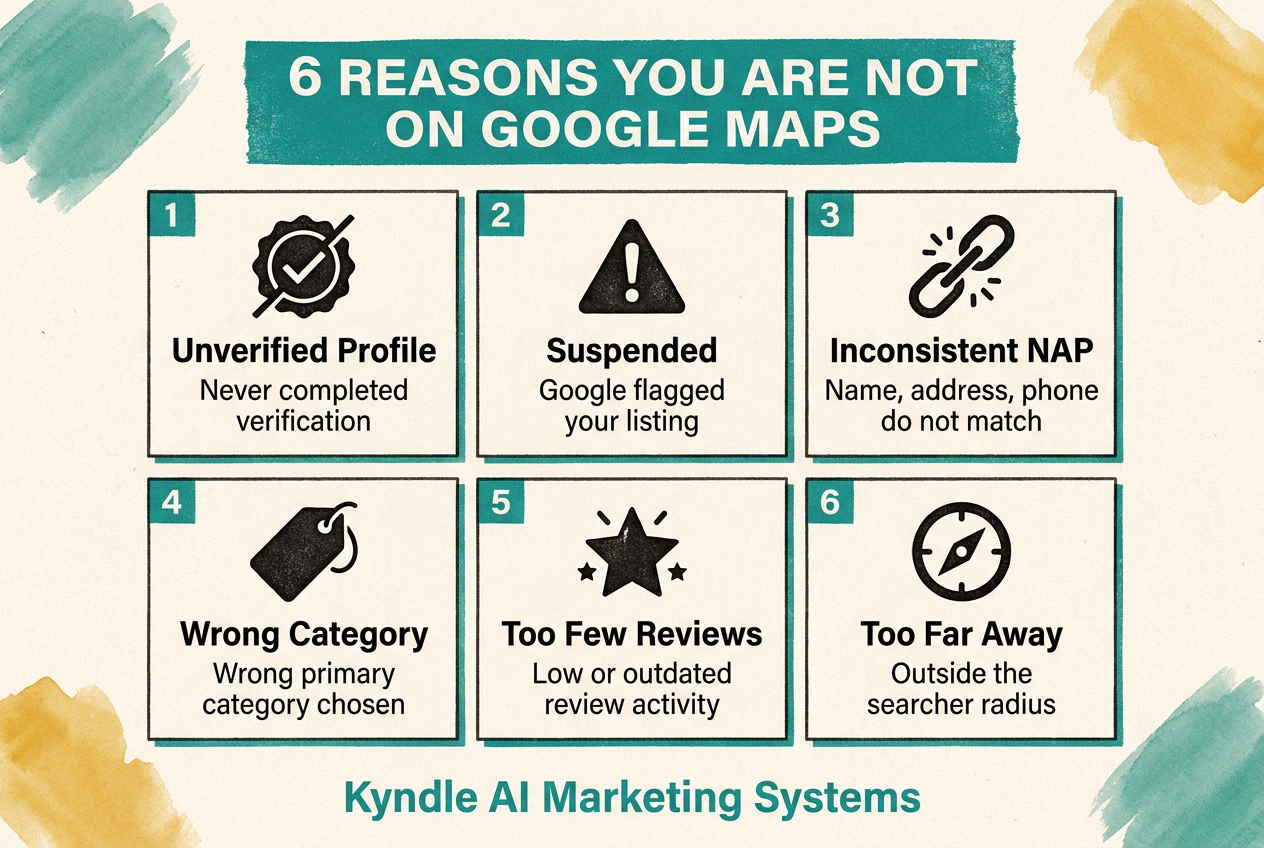
The most common reason is an unverified or unclaimed Google Business Profile. Google only fully shows businesses it can confirm are real. Other frequent causes are a suspended profile, inconsistent name, address, or phone details, the wrong business category, too few reviews, or simply being outside the area where someone is searching.
Here are the six reasons in detail, starting with the most common. Most businesses that vanish are tripping just one or two of these.
1. Your profile is unverified or unclaimed
This is the number one cause. Google only fully shows businesses it has confirmed are real, and verification is how you confirm it. If you never claimed your Google Business Profile, or never finished verifying it, your listing has limited visibility and may not appear at all. The fix: go to google.com/business, search for your business, and claim it. If it does not exist, create it. Then complete verification, which is often a short video that proves your location and that you run the business.
2. Your profile has been suspended
Sometimes a listing disappears because Google suspended it, occasionally without any obvious notice. Suspensions usually come from guideline violations or mismatched information. The fix: sign in to your Google Business Profile, look for a suspension notice, and follow the reinstatement steps. Correct whatever triggered it first, like an inaccurate address or a prohibited setup, before you request reinstatement.
3. Your business information is inconsistent
Google needs to trust who you are before it shows you, and inconsistent details create doubt. If your name, address, and phone number are slightly different across your website, Facebook, Yelp, and other directories, Google may hold you back. The fix: make your name, address, and phone identical everywhere online, exactly matching your Google Business Profile, down to the abbreviations.
4. You picked the wrong category
Your primary category is one of the strongest signals Google uses to decide which searches you appear for. The wrong category means you are invisible for the searches that matter, even if everything else is perfect. The fix: set your primary category to the most specific match for your main service, then add relevant secondary categories.
5. You have too few reviews
Reviews feed prominence, which is how trusted and established Google considers you. A brand-new or review-light profile often sits below established competitors in the map pack. The fix: build a simple habit of asking happy customers for a review, make it easy with a direct link, and reply to every review you get. Steady, genuine reviews lift you over time.
6. You are outside the searcher’s area
Google Maps results change based on where the searcher is standing. If you are far from them, or your service area is not set up correctly, you may not appear for their search even though you serve them. The fix: set your service area accurately, and make sure your address or service-area settings reflect where you actually work.
A few other things to check
- A brand-new listing can take a little time and verification before it shows reliably.
- Avoid prohibited setups like P.O. boxes or virtual offices, which can limit or suspend your listing.
- Duplicate listings can split your visibility, so merge or remove extras.
How do you get back on Google Maps?
Work through the fixes in order. Most businesses are back to visible with the first two or three steps.
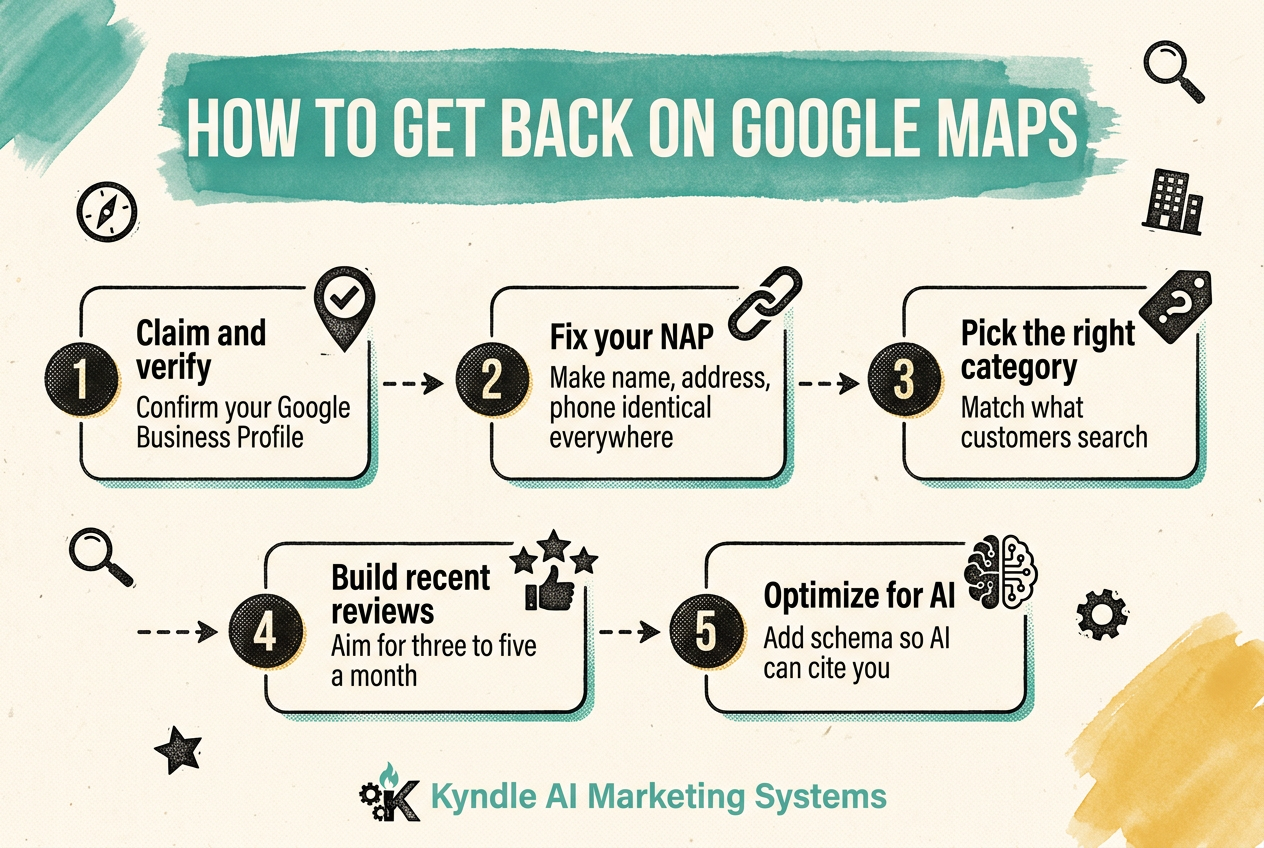
- Claim and verify your Google Business Profile.
- Check for and resolve any suspension.
- Make your name, address, and phone identical everywhere.
- Set the most accurate primary category and service area.
- Start earning reviews and reply to them.
The 2026 twist: the same problems hide you from AI search
Here is what almost no one checks. The exact issues that keep you off Google Maps also keep you out of AI search. When you ask ChatGPT, Gemini, or Google’s AI Overviews for the best option nearby, those tools lean on the same trusted, consistent business information that Google Maps uses. If your details are unverified or inconsistent, AI tools cannot confirm you exist, so they leave you out too.
That makes fixing your local presence a double win. Get verified, consistent, and well-reviewed, and you become visible to both Google Maps and the AI tools more people use every month. This two-layer approach is the foundation of our local SEO work.
Grab our free local visibility checklist
Want a simple way to audit your own Google presence? Get our free local visibility checklist and find what is hiding you from the map.
The bottom line
If your business is missing from Google Maps, it is almost never permanent. The usual causes are an unverified profile, a suspension, inconsistent information, the wrong category, too few reviews, or a proximity gap, and every one has a clear fix. Start by claiming and verifying your profile, then tighten your information and build reviews. You will likely be back on the map, and more visible to AI search, sooner than you expect. To understand the bigger picture, read what local SEO is and how it works, or when you want help, see what to look for in local SEO services in Lansing.
Why did my business disappear from Google Maps?
How do I get my business back on Google Maps?
How long does it take to show up again?
Why can I see my business but customers cannot?